Building a Free, Handmade Photo Gallery
A simple, cost-free photo gallery built with no CMS, no database—just static files and Git.
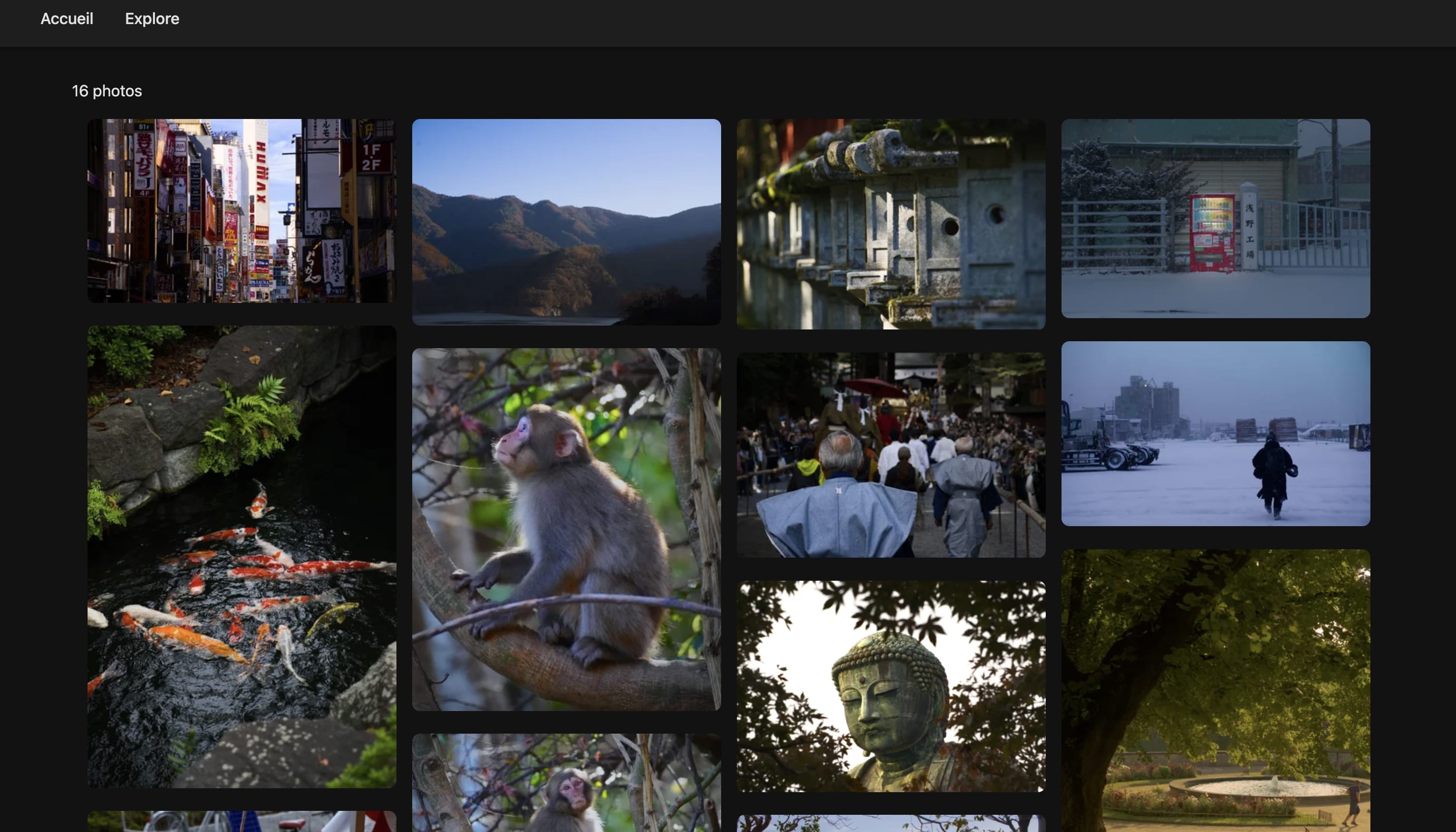
A simple, cost-free photo gallery built with no CMS, no database—just static files and Git.
🎯 The Goal
Share travel photos with friends and family without depending on Instagram or paid platforms. Requirements:
- Free (hosting + tools)
- Handmade (full control)
- Simple updates (no admin interface)
- Modern design (responsive, fast)
🛠️ Tech Stack (100% Free)
Astro
Static site generator that produces pure HTML with minimal JavaScript. Fast, simple, and perfect for content-heavy sites.
Sharp
Image optimization library that handles:
- Resizing (max 2000px width)
- Thumbnail generation (400px for grid)
- WebP conversion (~30% smaller)
- JPG compression (85% quality)
Result: 20MB photos → 300-800KB (~96% reduction)
GitHub Pages
Free hosting with HTTPS, custom domain support, and automatic deployment via GitHub Actions.
Live URL: https://photos.jnguyen.ovh
Total cost: $0/month 🎉
📸 How to Add Photos
The Workflow
-
Organize files in
public/photos/:public/photos/ ├── Japan/ │ ├── Urban/ │ │ ├── tokyo-night.jpg │ │ └── tokyo-night.txt (caption, optional) │ └── Landscape/ └── France/ └── Urban/ -
Add metadata (optional) - create a
.txtor.jsonfile:{ "caption": "Rainy night in Shinjuku", "location": "Tokyo, Japan", "date": "2024-04-12" } -
Optimize before push:
npm run optimize -
Push to Git:
git add .
git commit -m "Add Japan urban photos"
git push
GitHub Actions builds and deploys automatically in 2-3 minutes.
🔍 Under the Hood
Build process:
scanPhotos.js- Indexes all photos and metadataconvertToWebP.js- Converts images to WebP formatgenerateThumbnails.js- Creates 400px thumbnails- Astro builds static HTML pages
- GitHub Actions deploys to GitHub Pages
Frontend:
- Masonry grid (Pinterest-style) on homepage
- Country → Category navigation
- Fullscreen lightbox with metadata
- Dedicated URL per photo (e.g.,
/japan/urban/tokyo-night)
⚖️ Pros & Cons
✅ Pros
Free Forever
- $0/month hosting (GitHub Pages)
- Optional custom domain (~$10/year)
Full Control
- Your code, your design
- No ads, no artificial limits
- Easy to maintain and migrate
Great Performance
- Static site = ultra-fast
- Automatic image optimization
- Lighthouse score 95+
Simple Workflow
- No CMS to update
- No database to manage
- Just files + Git
Future-Proof
- No dependency on third-party services
- Simple codebase, easy to understand
- Static files can be hosted anywhere
❌ Cons
Technical Friction
- Requires comfort with Git/terminal
- No visual upload interface
- Learning curve for non-developers
No Real-Time Editing
- To update a caption: edit file → commit → push
- No mobile app for quick uploads
Storage Limits
- GitHub has a 1GB repo limit
- Need aggressive optimization for hundreds of HD photos
- Git LFS is an option but adds complexity
No Social Features
- No comments or likes
- No one-click social sharing
- Public only (no private galleries)
Increasing Build Times
- More photos = longer builds
- Currently ~2 min for 50 photos
- Can be optimized with incremental builds
💭 Conclusion
This project is ideal if you:
- Are comfortable with Git and the terminal
- Want full control over your code
- Want to avoid hosting fees
- Enjoy learning by building
This is NOT for you if you:
- Want a simple visual interface
- Want to publish from your phone
- Want social features (comments, likes)
- Want zero technical friction
For me, it’s the perfect setup: simple, fast, free, and fully under my control. 🚀
Stack:
- Astro v4
- Sharp (image optimization)
- GitHub Pages (hosting)
- GitHub Actions (CI/CD)
- HTML/CSS/Vanilla JS